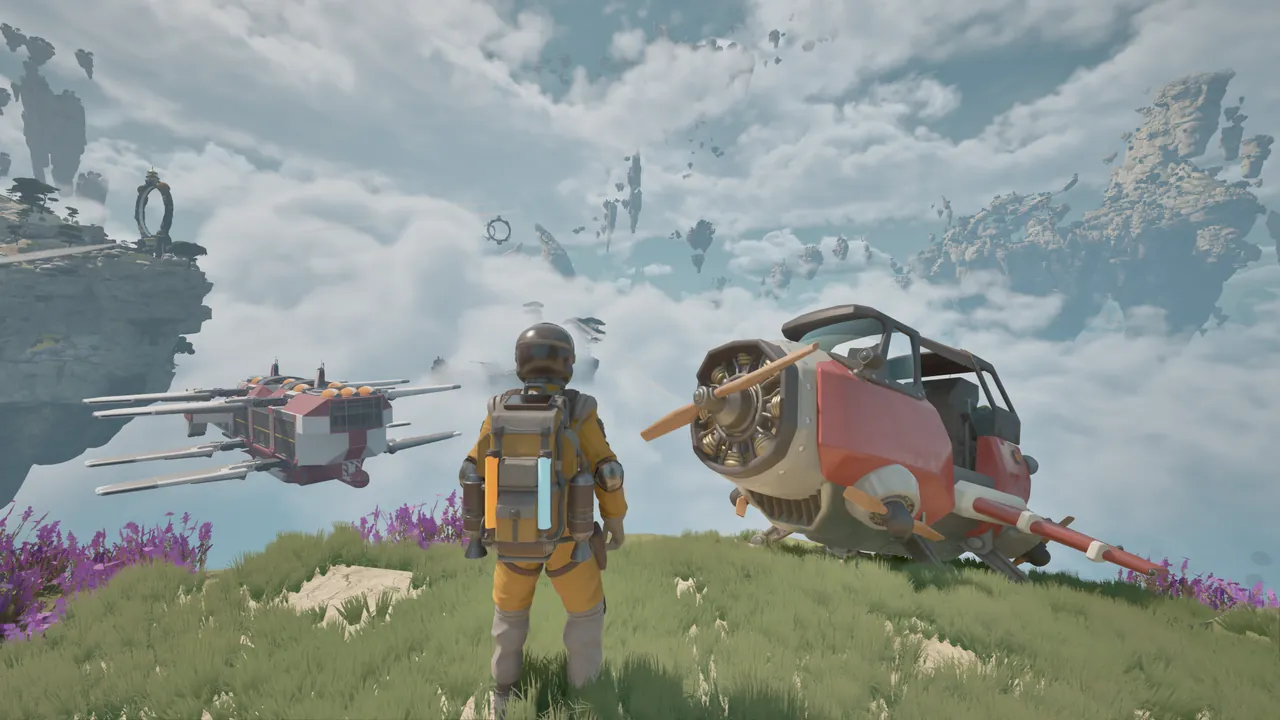
Start with the next flight, not the biggest base
Your first ATMOSFAR expedition is about keeping yourself and your aircraft ready to move. Learn how the backpack powers your tools, gather the materials needed for repairs, set up a portable camp and make usable fuel. A grand Cloud Cruiser layout can wait until you understand that smaller supply loop.
The route below follows the March–April 2026 Demo. Early Access is announced for October 29; use the objective text and flight manual in your own build for controls and recipe quantities.
Read the objective before collecting everything
An island can offer scrap, plants, containers and a damaged aircraft at the same time. Start by identifying the immediate obstacle. Do you need a tool, a component, fuel or a quest item? Each has a different next step.
In the Demo, the first emergency landing leads to a repair objective. Searching for hydrogen before finding the welder will not fix a damaged door or hover engine. Likewise, a pile of raw material does not replace a manufactured component if the repair prompt asks for one.
Use a short working list: the part you are repairing, the material it requires, and the next place you can obtain or craft it. Recheck the objective when you complete a stage rather than continuing to solve the previous one.
Keep a reserve of backpack power
The extractor draws on personal electricity. Your Wasp’s fuel is a separate supply: a refuelled aircraft does not mean your tools have enough power for another salvage trip.
The Demo introduces batteries, slow solar recharge and helpful plants. It also contains plants that drain power. Watch what an interaction actually does to your supply before treating a patch of vegetation as a rest stop.
Before entering a cave or following a resource trail, consider the trip back. Tools, lighting and movement can compete for the same reserve. The survival basics explain the distinction between personal equipment and aircraft needs.
Find the welder and inspect separate parts
The first repair sequence is more specific than filling one aircraft health bar. The door, hull, propulsion engine and hover components can have their own prompts. Walk around the Wasp and inspect the part your objective names.
Use the welder for repairs and check each part’s required supplies. Some Demo repairs need copper; other components have different requirements. The crafting and repair guide helps distinguish salvaged materials from the parts you can make at the table.
Do not spend the last of a needed component on optional camp equipment while the aircraft still needs it. Finish the immediate repair, then decide what to construct next.
Treat the camp as a travelling service stop
The Utility Wasp can carry a foldable camp. In the Demo, the camp hub brings a crafting table and other deployed equipment along when packed. Move the workshop with the expedition instead of assuming it must stay on the first island.
A practical stop leaves room to walk around the aircraft, reach the hub and operate machinery. Check that the machine you need exists: deploying the camp does not automatically create a hydrogen refinery. That item is made at the crafting table.
Before moving on, finish processing, check the supplies you still need and pack the hub. See camp setup and packing for the smaller workshop, or the Cloud Cruiser for the larger mobile base.
Turn crystals into fuel before transferring it
Hydrogen crystals are the beginning of the fuel chain, not a full tank. Collect the raw material, use a refinery, retrieve the processed fuel and transfer it to the aircraft.
Read a fuel objective carefully before making that last transfer. If it checks the personal tank, moving fuel to the Wasp too early can leave that tank below the requested amount. Making enough in total and currently holding enough are different conditions. The hydrogen guide explains how to check both tanks.
Learn landing before chasing speed
An unfamiliar aircraft is easier to understand near a clear landing area than while approaching a cliff. Read the in-game flight manual, locate the relevant indicators and learn how your build handles hovering and landing gear.
Locate engine start, approach and landing-gear controls in your current manual. Use the prompts for your own keyboard or controller setup. The flight guide covers the checks before a longer route.
Your departure check
- Personal electricity available for the next stop.
- Required aircraft components repaired.
- Usable fuel in the aircraft, not only raw crystals in storage.
- Camp packed and carried.
- Next objective and a recognizable return landmark identified.
If you are travelling with friends, add one more check: everyone knows whether the base is staying put or moving. Agree on a meeting point before splitting into separate expeditions. The co-op briefing covers the four-player limit and the joining questions to check before starting a shared world.
FROM THE FLIGHT DECK
Watch the game in motion.
Choose a video for a closer look at the journey. Demo footage contains spoilers and may differ from Early Access.
 MARCH DEMO40:30
Day 1: flying crafts and mobile airbases
A slower first-day look at backpack power, the welder, aircraft repairs and setting up a refinery.
Watch on YouTube ↗Sources & further reading
Official updates and related videos.
Help us keep this field guide accurate. Send a correction.